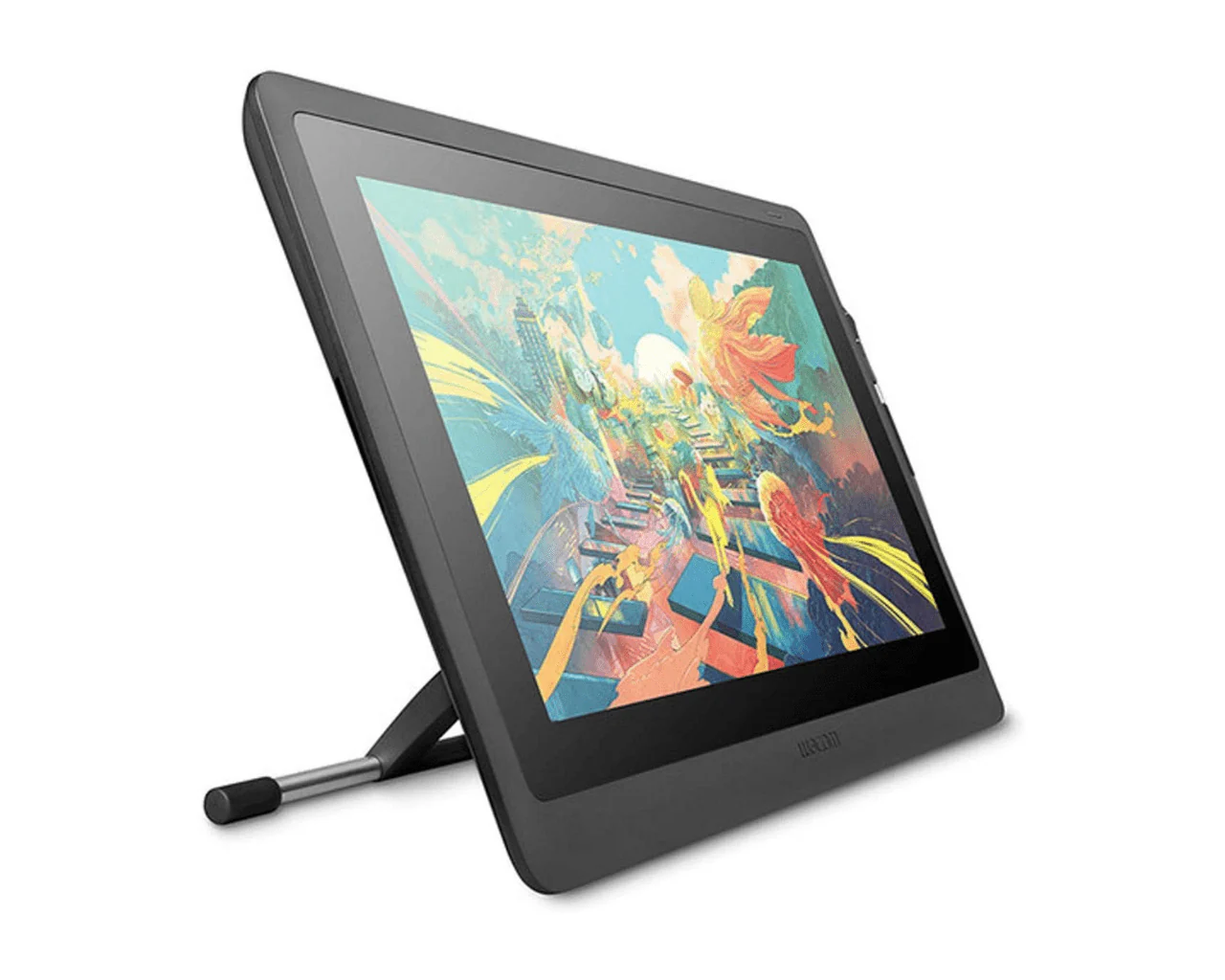

Wacom Adjustable Stand for 16'' Pen Display
Adjustable stand for Wacom Cintiq 16
Expand your creative horizons with the adjustable stand for Wacom Cintiq 16. With its variety of tilt angles, it redefines creative perspective and takes just a few minutes to set up and adjust, so you can keep the creative juices flowing in any position.

Find your comfort zone
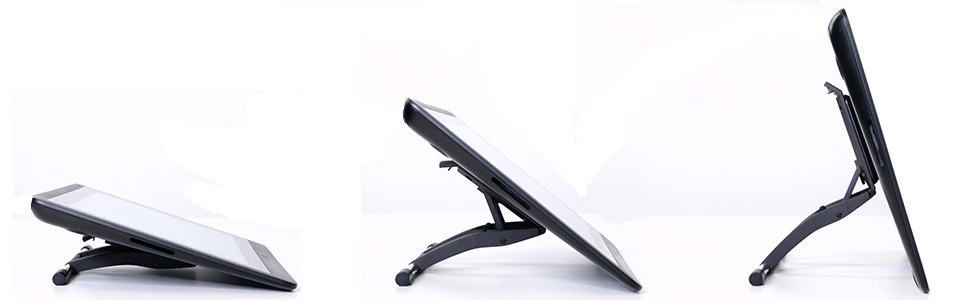
When you need the freedom to change your work angle, the Wacom adjustable stand for lets you change it up on the fly. Move between 19 and 68 degrees to suit your way of working, whether standing, sitting, or somewhere in between. Stand your Cintiq up and use it as a secondary display or to reduce its footprint when you're not using it as a tablet.

Stand up to pressure
Whether you’re doodling a character for fun or pressing into the details of a design concept on screen, the last thing you want is a wobble. A non-slip base ensures it’s not going anywhere as you push your creative limits.

Set up in minutes
With its screw-in, snap-on design, the Wacom adjustable stand is easily attached in minutes. Once in place, the durable metal construction can withstand the wear and tear that comes from the endless iterations of perfecting your artwork.
Product Description
The Wacom adjustable stand allows a wide variety of tilt angles from 19-68°, adding flexibility and ergonomics while creating. The anti-slip base ensures stable use in every working environment.
Overview
| Specifications: | |
| Brand: |
|
| Special Feature: |
|
| Color: |
|
| Unit Count: |
|
| Item Dimensions LxWxH: |
|
| Item model number: |
|
| Item Weight: |
|
| Manufacturer: |
|
| Standing screen display size: |
|
| Compatible with: |
|
| What's in the Box? |
|
Product Information
Product Information
Shipping & Returns
Shipping & Returns
Description
Adjustable stand for Wacom Cintiq 16
Expand your creative horizons with the adjustable stand for Wacom Cintiq 16. With its variety of tilt angles, it redefines creative perspective and takes just a few minutes to set up and adjust, so you can keep the creative juices flowing in any position.
Find your comfort zone
When you need the freedom to change your work angle, the Wacom adjustable stand for lets you change it up on the fly. Move between 19 and 68 degrees to suit your way of working, whether standing, sitting, or somewhere in between. Stand your Cintiq up and use it as a secondary display or to reduce its footprint when you're not using it as a tablet.
Stand up to pressure
Whether you’re doodling a character for fun or pressing into the details of a design concept on screen, the last thing you want is a wobble. A non-slip base ensures it’s not going anywhere as you push your creative limits.
Set up in minutes
With its screw-in, snap-on design, the Wacom adjustable stand is easily attached in minutes. Once in place, the durable metal construction can withstand the wear and tear that comes from the endless iterations of perfecting your artwork.
Product Description
The Wacom adjustable stand allows a wide variety of tilt angles from 19-68°, adding flexibility and ergonomics while creating. The anti-slip base ensures stable use in every working environment.
Overview
| Specifications: | |
| Brand: |
|
| Special Feature: |
|
| Color: |
|
| Unit Count: |
|
| Item Dimensions LxWxH: |
|
| Item model number: |
|
| Item Weight: |
|
| Manufacturer: |
|
| Standing screen display size: |
|
| Compatible with: |
|
| What's in the Box? |
|